Smart Bookmarks Plans Privacy Get it on Google Play

Bookmarks & notes / Android

Save it in one tap.
Know why you saved it.

Share any link to Smart Bookmarks and it comes back with a title, a cover image, an AI summary and a category, already filed. Write notes alongside your links, and find all of it again months later, even offline.

Get it on Google Play

FreeNo adsNo account needed

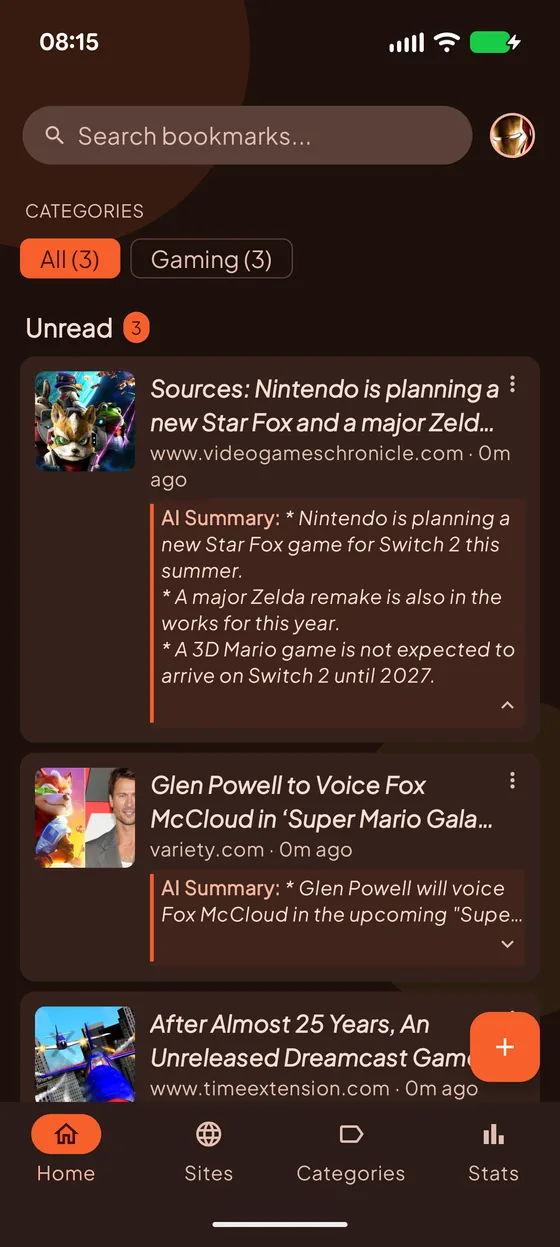
The Smart Bookmarks home screen: a search bar, category filters, and unread bookmarks, each with a cover image, its site and an AI summary.

What one tap does

You share a link. The app does the filing.

  1. Share it from anywhere Any browser, any app with a Share button. No copying, no pasting, no switching apps.
  2. It reads the page Title, description and cover image are fetched for you, as an anonymous visitor.
  3. It summarizes A few lines on what the page actually says, written on your phone by on-device AI.
  4. It files it A category and tags are picked for you, so it shows up where you would look for it.
Illustration

Why we forget most of what we read

longform.example · just now

AI Summary:
  • Most of an article fades within days unless something brings it back.
  • A short summary works as a cue that recalls the rest.
  • Re-reading the summary beats re-reading the whole piece.
Learning #memory #reading

Bookmarks / Sites & Categories

Organized without you trying

Every bookmark is classified as it is saved, and grouped by the site it came from. Filter by category, tag or read status in one tap, switch between Unread and History, and search titles, descriptions, summaries and notes in one place.
  • Automatic categories and tags for bookmarks and notes
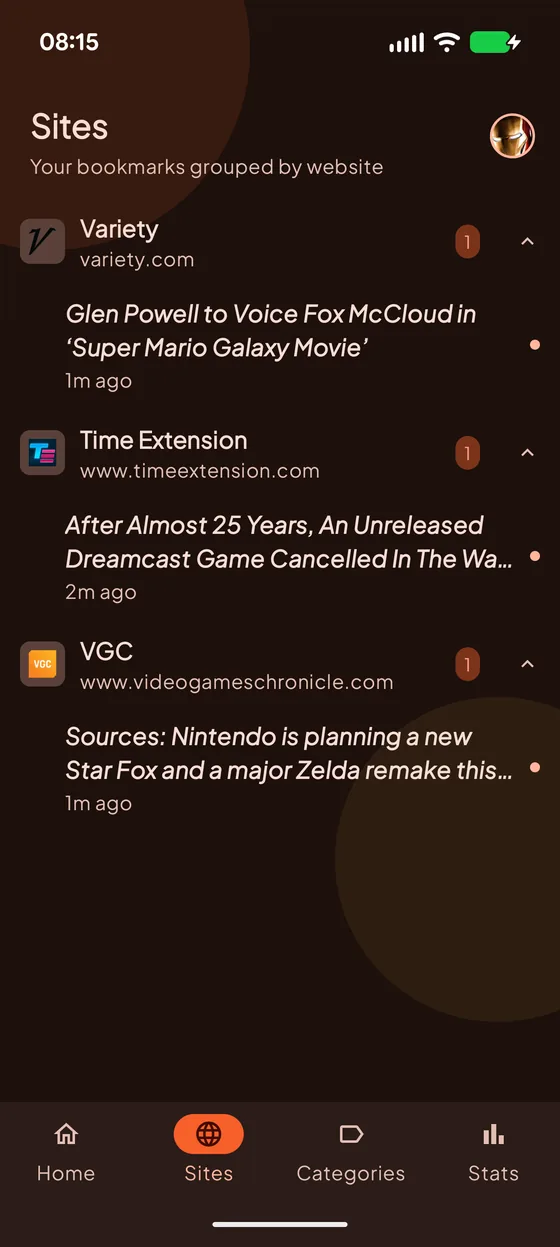
  • Browse by website, with an unread count on each
  • Favorites, Unread and History views
The Sites screen: bookmarks grouped under each website they came from, with an unread count per site.

Account / AI

AI that stays on your phone

Summaries and categories come from on-device models, so they work offline and your pages are never uploaded to do it. If your phone can't run them, ULTRA can hand the job to Gemini in the cloud instead, and only when you switch it on.
  • On-device summaries and classification, on supported phones
  • A summary, a category and tags for every link you save
  • Cloud AI is opt-in, and tells you before anything is sent
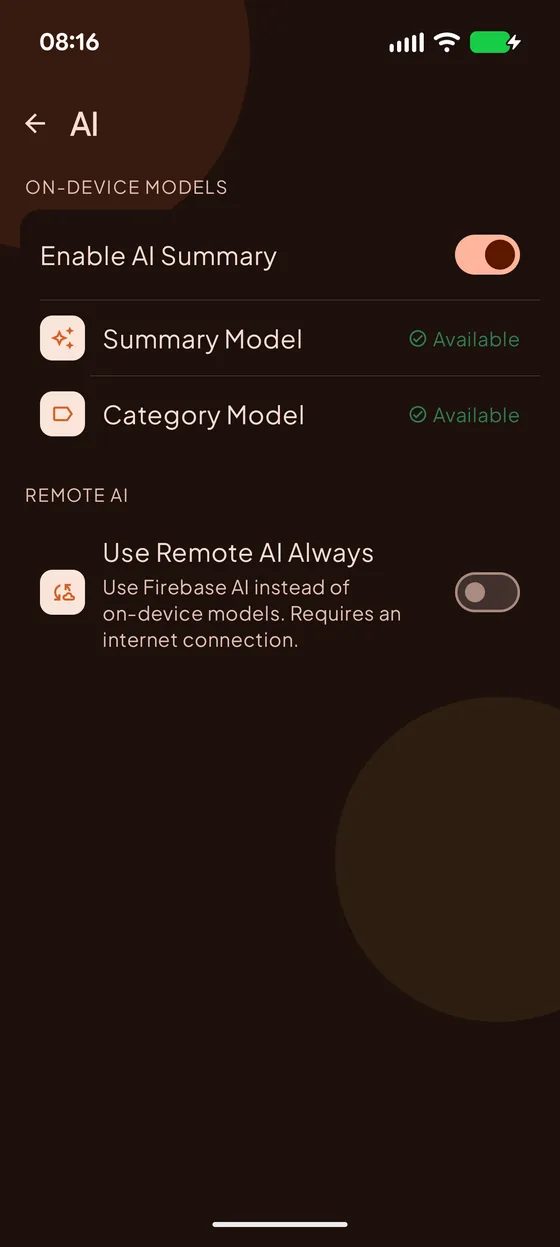
The AI settings screen: on-device summary and category models marked available, and a switch for using remote AI.

Bookmarks / Stats

Actually read what you save

A reading streak, how much of your list you have opened, and how much time the summaries saved you. A gentle nudge to get through the pile, not another inbox.
  • Daily reading streak and your best run
  • Saved versus read, week by week
  • Your top topics, from what you actually saved
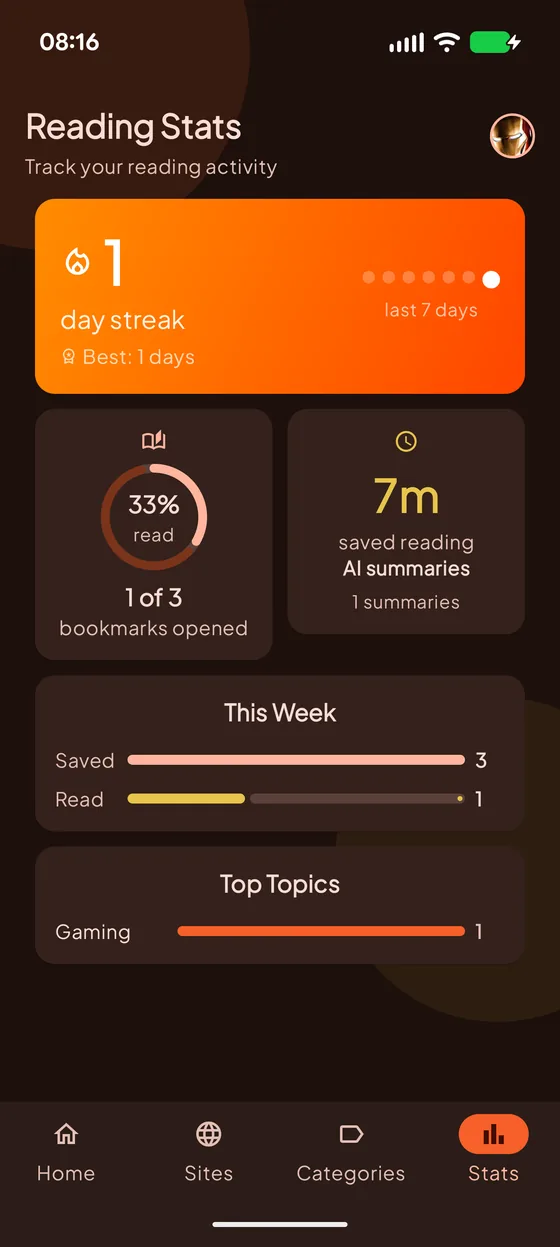
The Reading Stats screen: a day streak, the share of bookmarks read, minutes saved by AI summaries, this week's saved and read counts, and top topics.

Account / Encryption

Encrypted before it leaves

Turn on end-to-end encryption and your library is locked with AES-256 on your phone, with a passphrase only you know, before it is synced. What reaches our servers is ciphertext we cannot read.
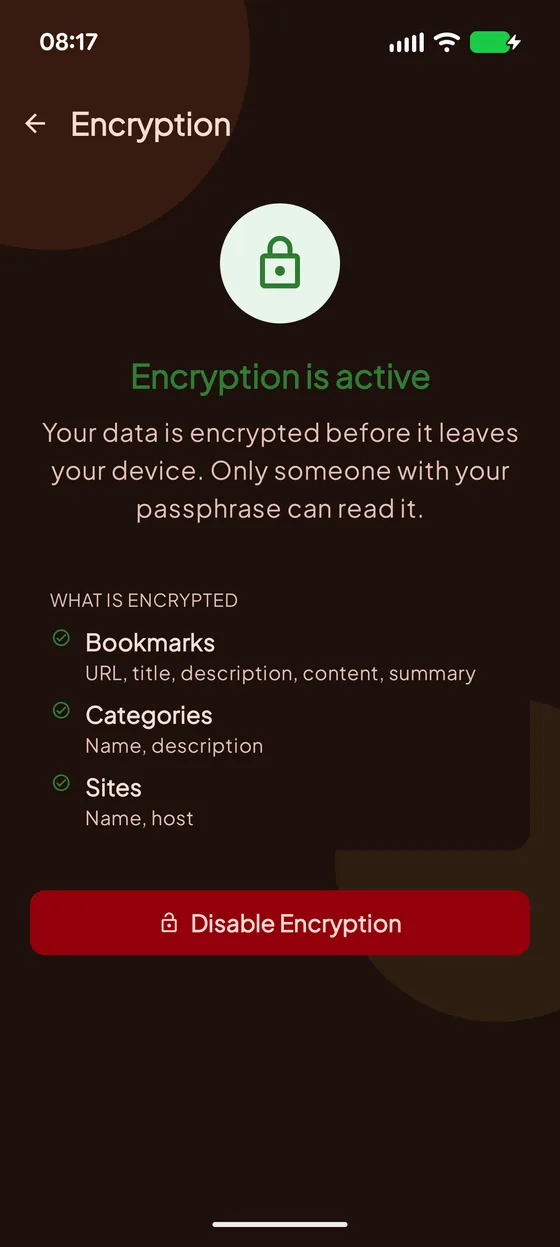
  • Covers bookmarks, notes, categories and sites
  • Your key is wrapped by your passphrase, never stored in plain form
  • Every signed-in device follows the same setting
The Encryption screen showing encryption is active, and listing what is encrypted: bookmarks, categories and sites.

More in the app

Notes, voices, and a weekly recap

Notes, next to your links

Write your own thoughts in Markdown, formulas included. AI tags and files them the moment you save, and one search covers notes and bookmarks together.

Listen instead

Have any bookmark or note read aloud with your phone's own voice, free. ULTRA adds natural cloud voices.

A weekly digest

Once a week, a short personalized recap of what you saved and what is worth going back to. Included with PRO.

Home screen widgets

Favorites, Unread and Notes widgets keep your list one glance away, without opening the app.

Plans

Free to keep. Pay only to go further.

Free

Your library, on your phone

No account, no time limit

  • Unlimited bookmarks and notes
  • On-device AI summaries and categories, on supported phones
  • Read aloud with your phone's voice
  • Stats, widgets and themes
  • Works fully offline
PRO

Sync, protect and recap

Monthly subscription

  • Everything in Free
  • Sync across your devices with Google sign-in
  • End-to-end encryption
  • Weekly digest
ULTRA

AI, fully unleashed

Monthly subscription

  • Everything in PRO
  • Gemini cloud summaries when on-device AI isn't there
  • Natural cloud voices for read-aloud

Subscriptions are billed and managed by Google Play, and can be cancelled there at any time.